
Every customer's order book, watched — and explained like an analyst who reads every line.
OWL ingests each customer's order-book download, catches what changed since yesterday — including what nobody told you about — and briefs you in plain language, cited back to the exact line. Built only for manufacturers, and configured to how you work: your file formats, your definition of on-time, your disclosure rules.
— numbers from OWL's live product demo, a synthetic manufacturing-supplier dataset —
Manufacturers only. Configured per customer.
OWL isn't a generic order-management tool bent to fit manufacturing — it's built for exactly one kind of company: suppliers shipping physical parts against a customer's order book, with real ship dates, real shortages, and real production stages behind every line. And because no two manufacturers run the same way, every deployment is configured to that customer's business — not a lowest-common-denominator template.
Manufacturing, not "supply chain in general."
Schedule lines, ship-date math, factory stages, real dispatch dates off the shop floor — the whole product is shaped around how a manufacturer's order book actually behaves, not a generic procurement workflow.
Your customers, your rules — not ours.
Every customer gets their own file formats, on-time definitions, and disclosure rules. No two manufacturers on OWL are configured the same way, because no two manufacturers sell the same way.
Your customers don't send you what's changed. They send you the whole book, again.
Every supplier portal export or email sent is a full-state dump — no changelog, no diff, no flag for what moved. Someone has to open it next to yesterday's file and find what changed. Most teams do this in a spreadsheet, or don't do it at all, and the changes a customer never called out about — the ones most likely to become a dispute — slip straight through.
No API. Just a download.
Order books arrive as native Excel or CSV exports from each customer's own portal — a different shape for nearly every one.
Most changes are silent.
An OTD date moves, a quantity shrinks — with no notice. It's still on you to have caught it when the call comes.
Evidence has a shelf life.
Without a timestamped record of what the line looked like last week, an OTD dispute is just your word against theirs.
One system, from raw download to defensible answer.
Six views over the same manufacturer's order book — each one grounded in the actual lines, not a summary of them.
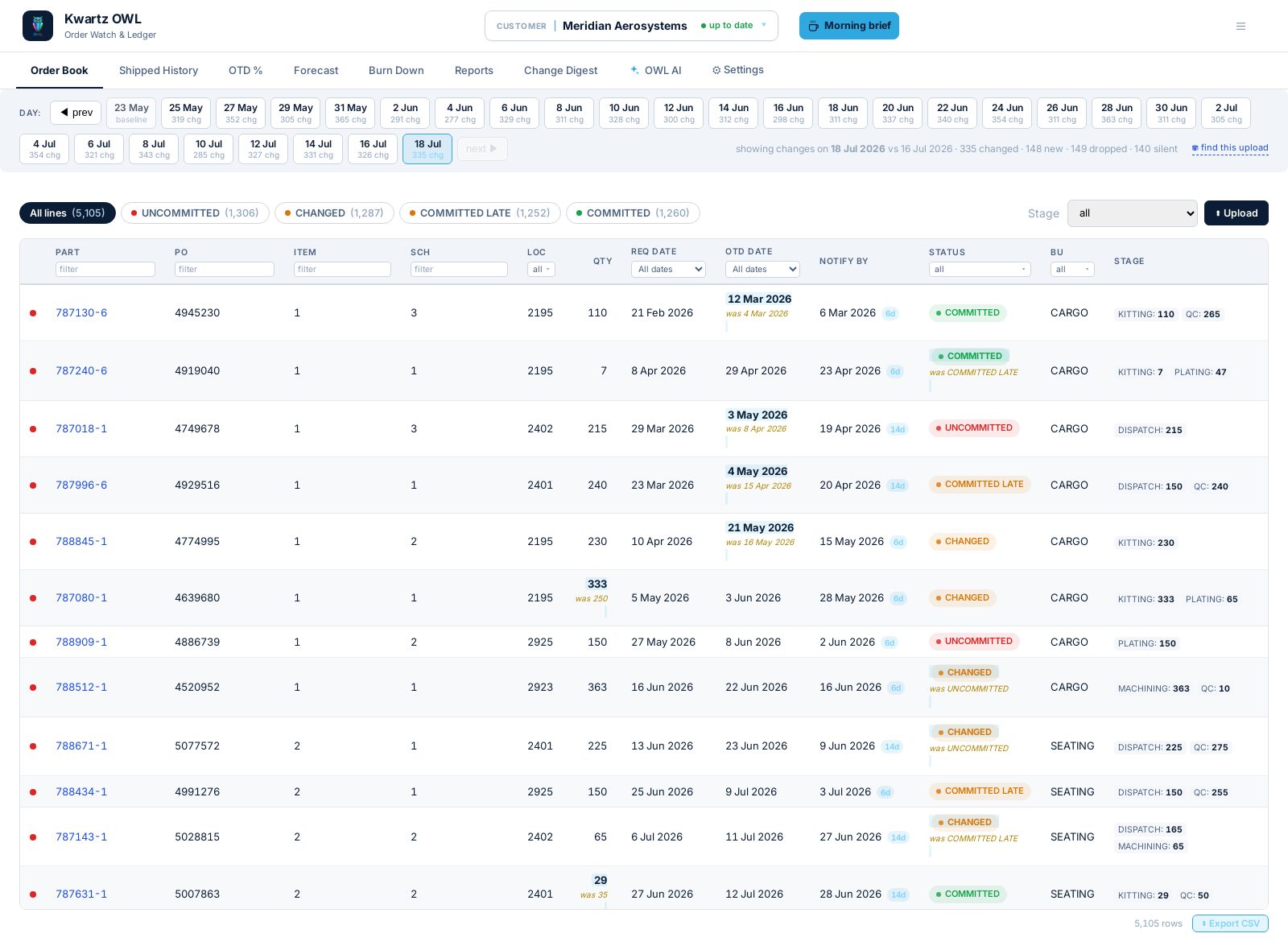
See every line, every change.
PO, item and schedule line, ship-date math worked back from the commit date, and live stage progress — filtered to what changed since the last download in one click.
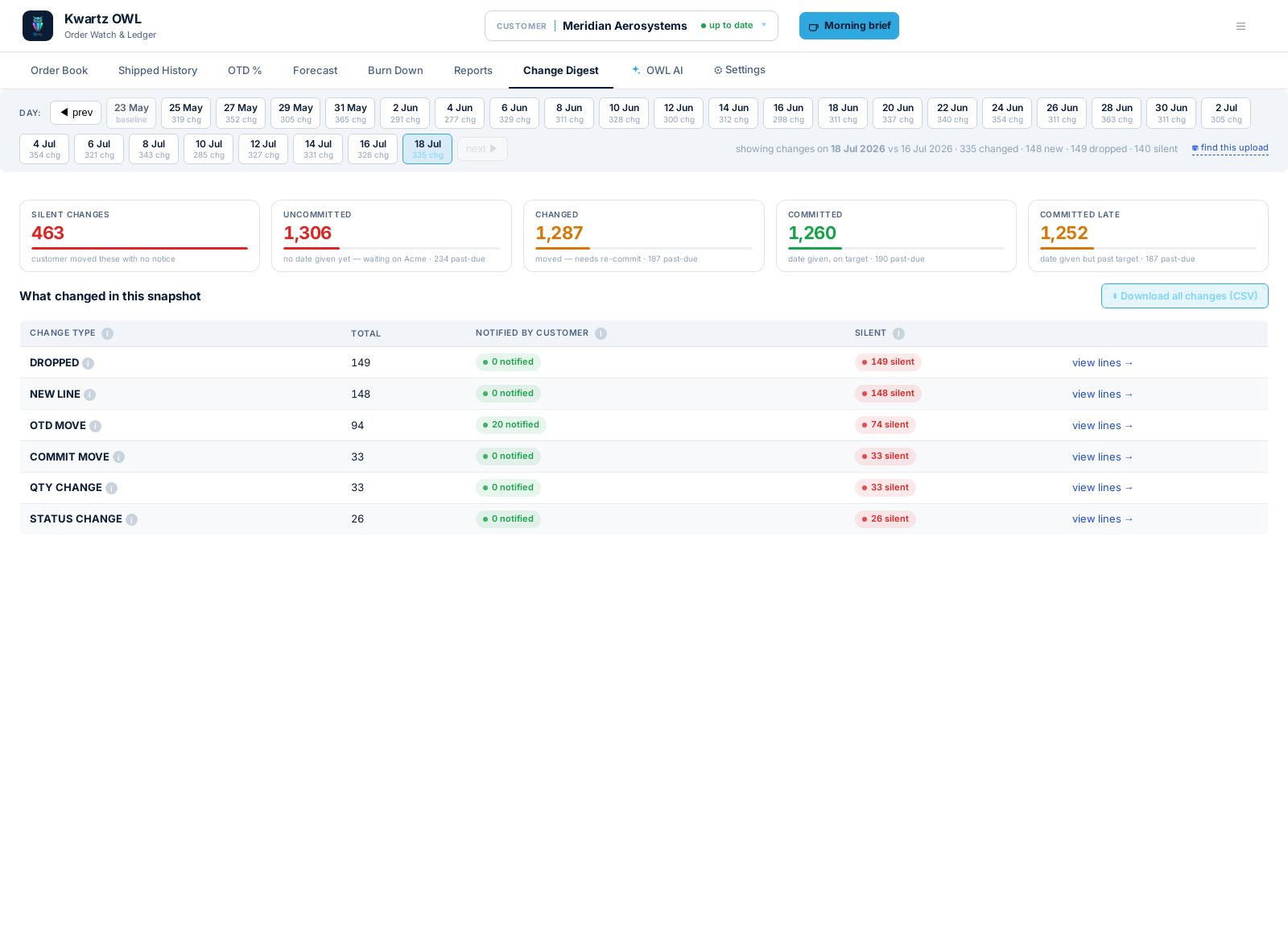
Catch the silent changes.
Every upload is diffed against the version before it. OTD moves, quantity changes, new and dropped lines — split by what the customer actually notified you about versus what showed up with no notice at all.
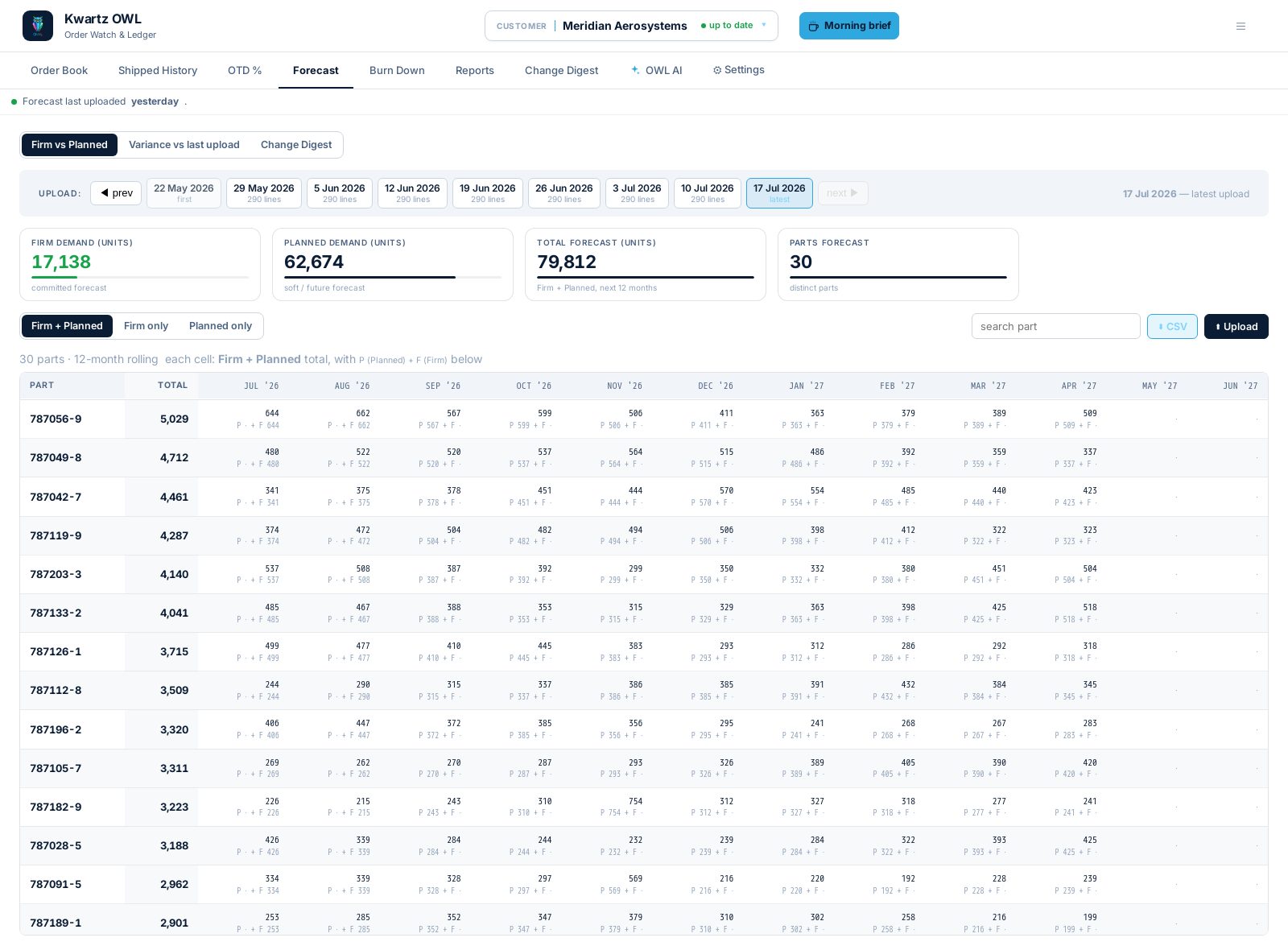
Firm vs. Planned, twelve months out.
Demand by part and month, Firm against Planned, with variance against the last upload the moment a customer's plan shifts.
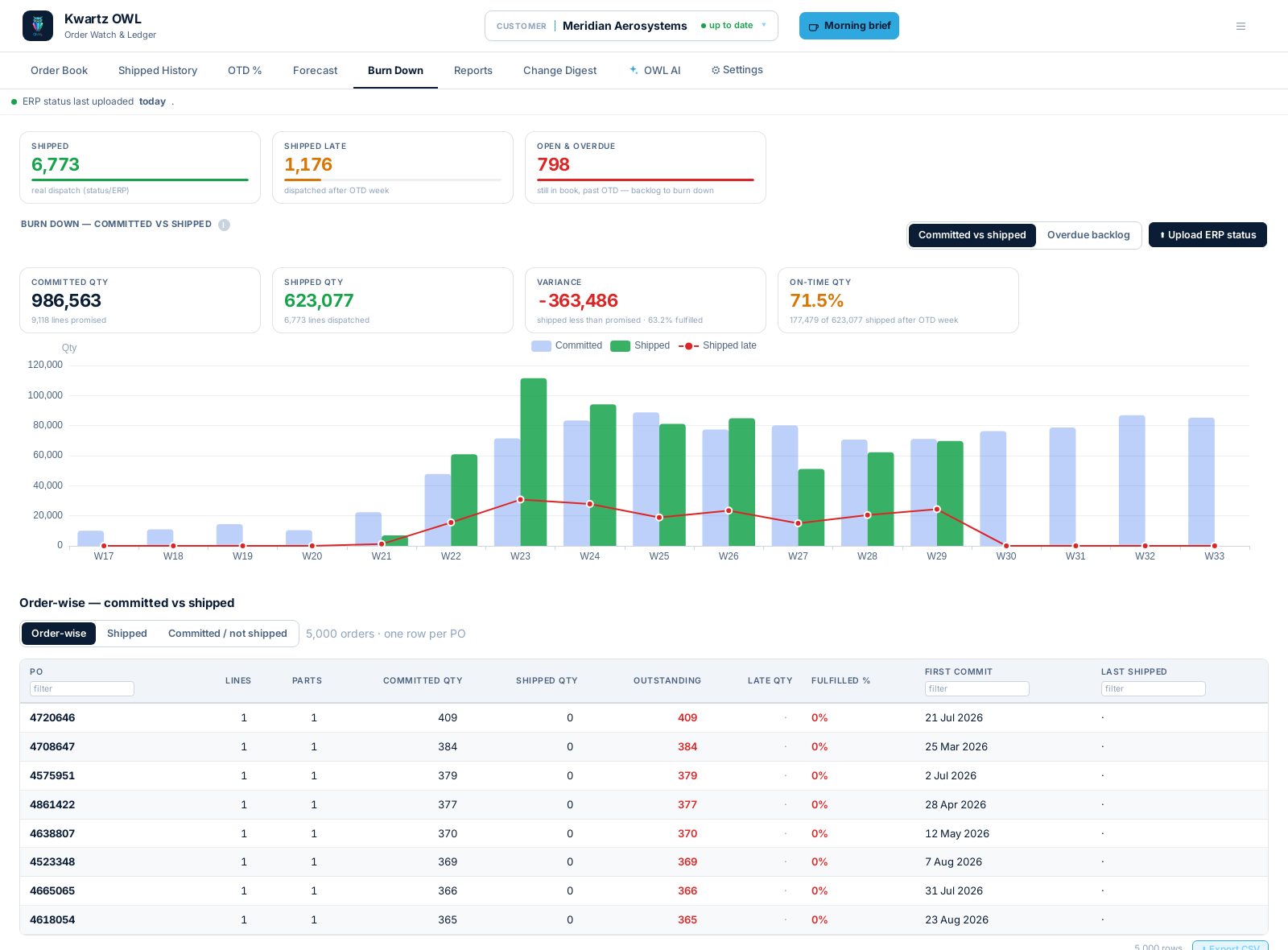
The backlog, burning down for real.
Committed vs. shipped, driven by your actual dispatch date from the ERP feed — not a guess. Week by week, on-time vs. late vs. carried over.
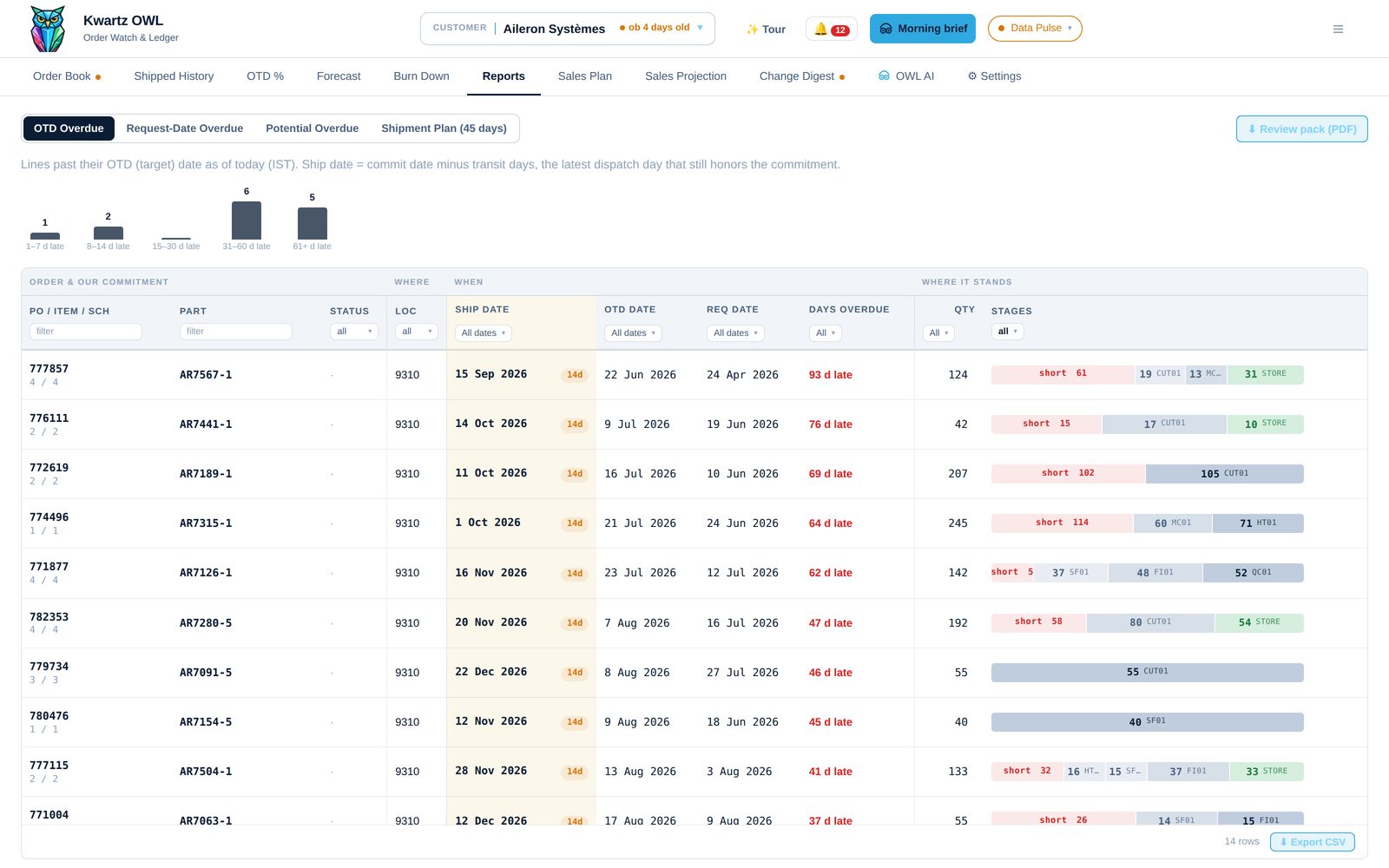
Overdue, always current.
OTD, request-date and shipment-plan overdue reports, grouped by how late and by factory stage — exportable as a review pack the moment a customer call comes in.
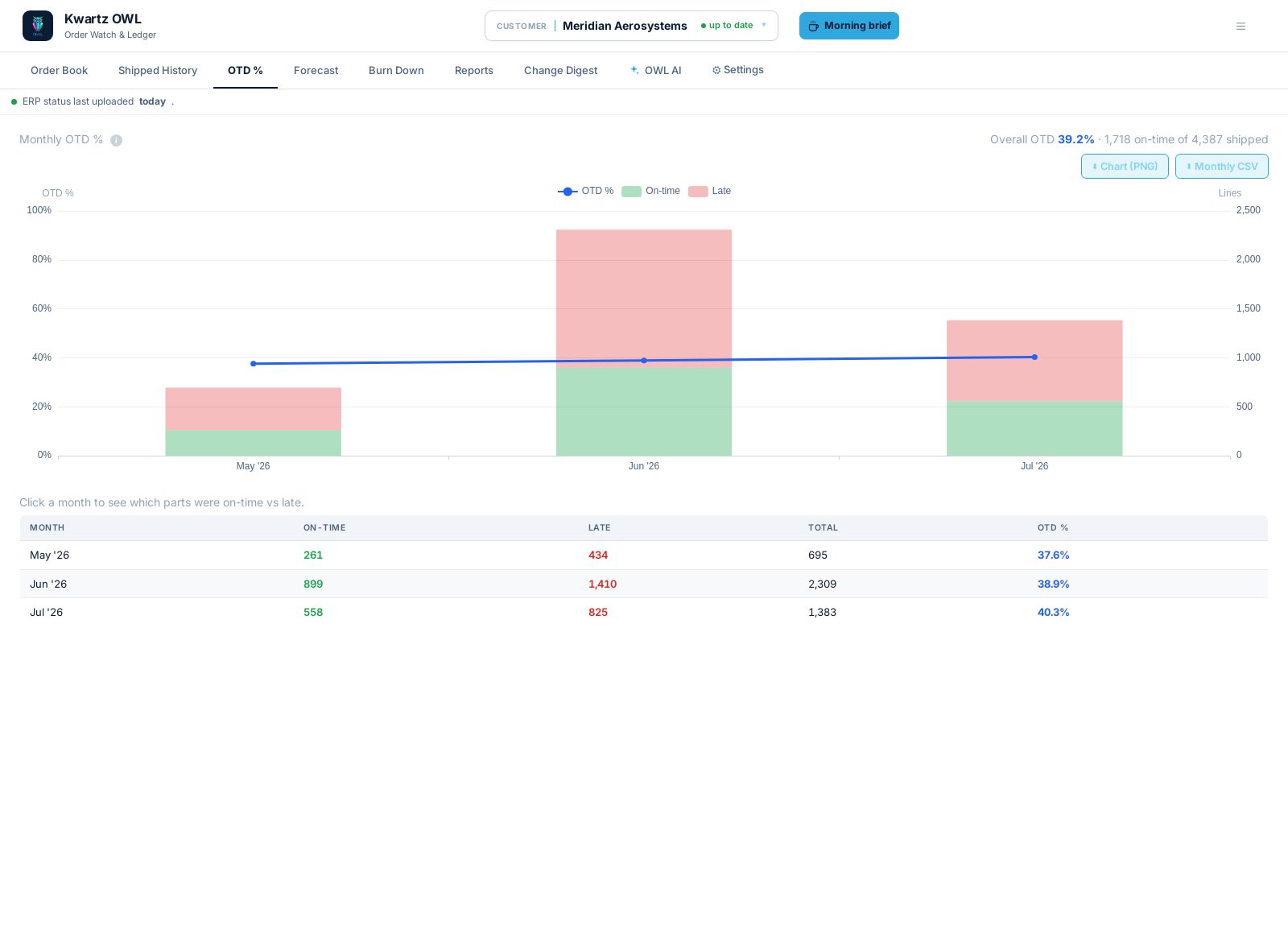
On-time delivery, month by month.
Of everything shipped, how much cleared the lead-time bar — tracked against your own notify-by rule, not a generic SLA.
The analyst who already read every line.
Underneath the briefings is a deterministic facts layer — the same numbers on every tab. The AI's job is to rank what matters and say it in plain language, cited back to the line it came from. Nothing it tells you is a number it made up.
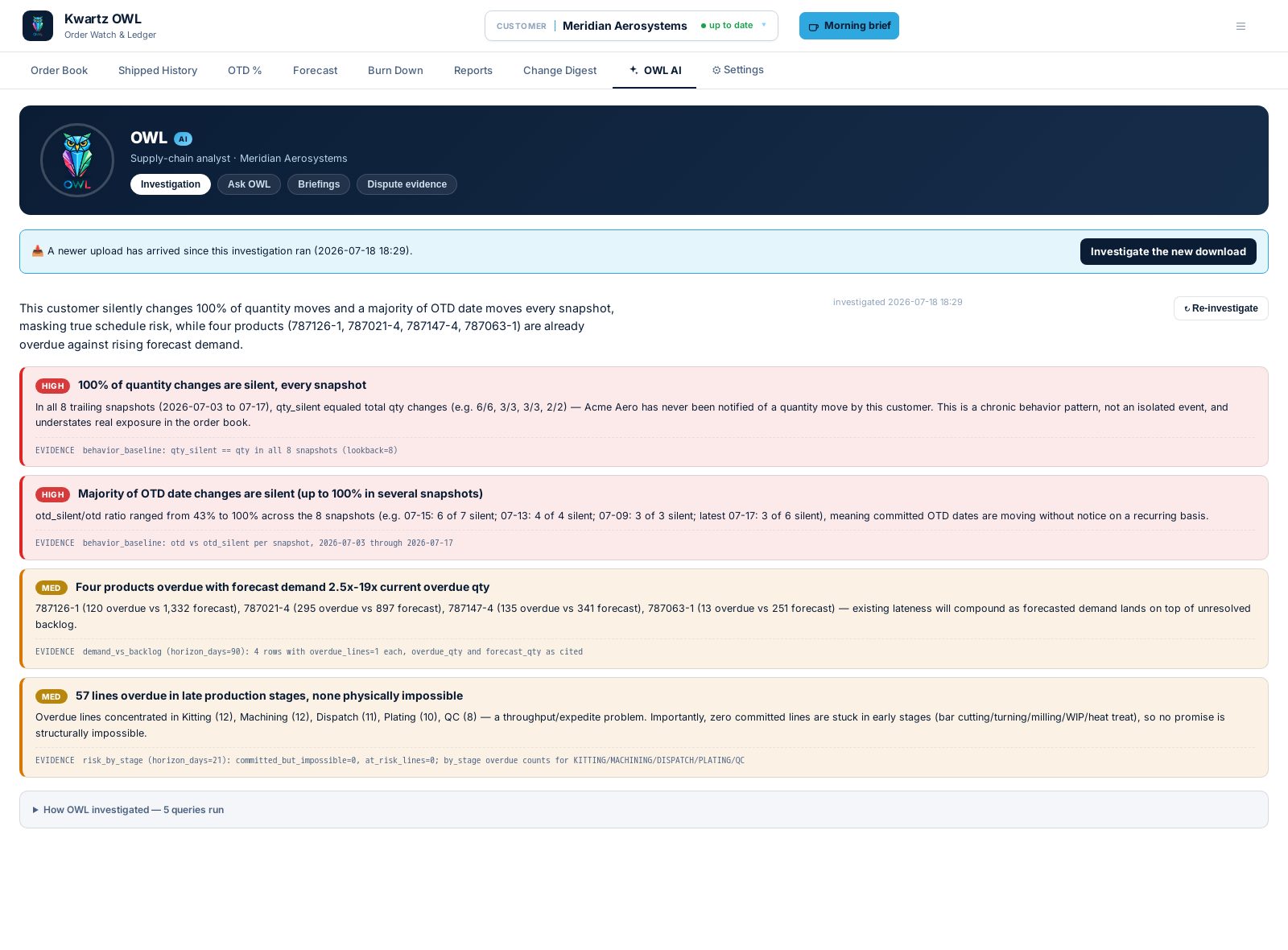
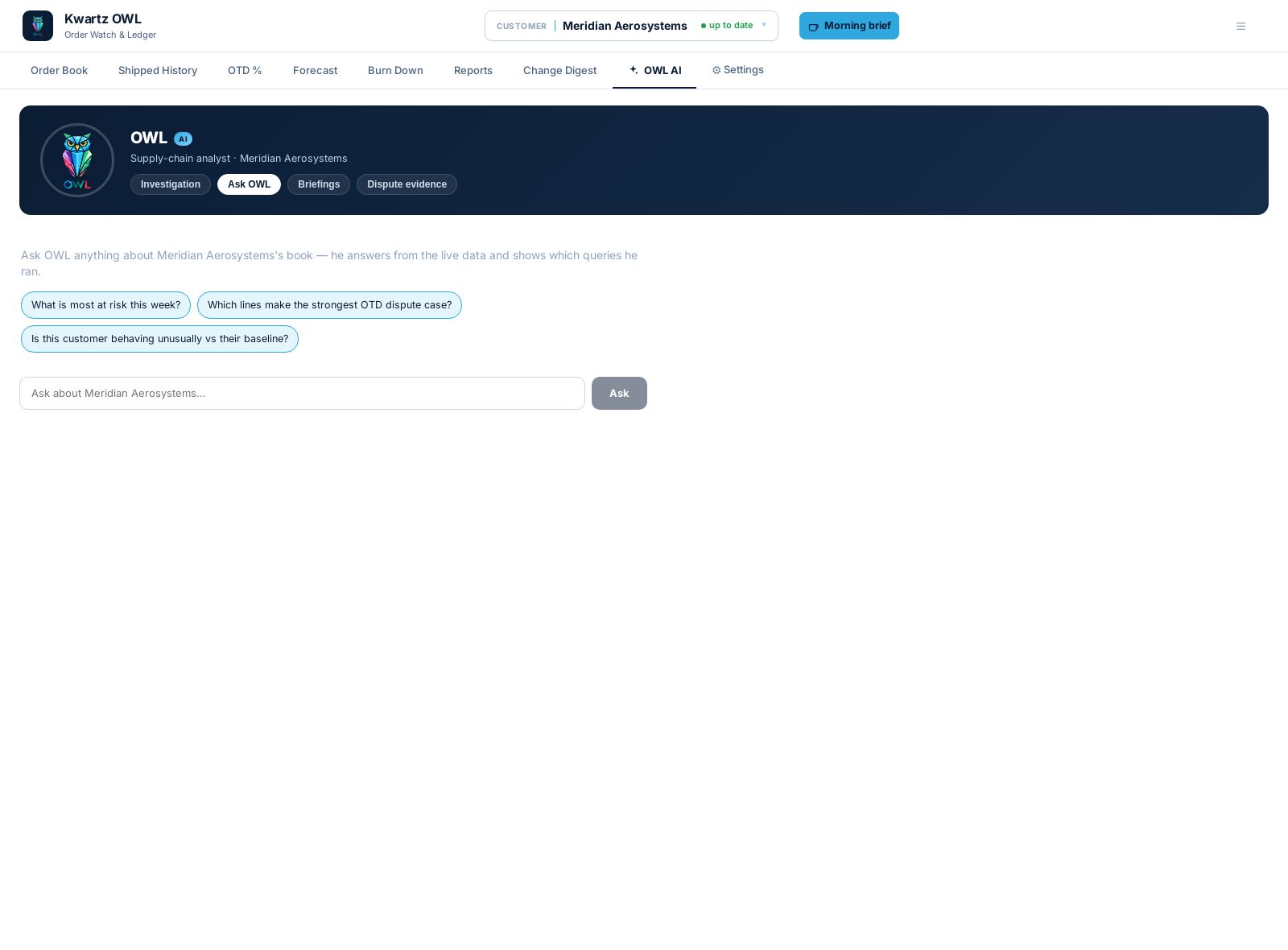
Same product. Configured to how each customer actually works.
Nothing about a customer's behavior is hard-coded. Adding one — or changing how an existing one is graded — is a configuration change, not a rewrite.
Any file, as it comes
Native Excel, CSV and portal exports — whatever shape the download actually arrives in. Adding a customer means adding a mapper, never touching core code.
Your definition of on-time
Lead-time rules and status classes are set per customer, not hard-coded. A fast dock and a slow one don't get graded the same way.
Your disclosure rules
What a customer owes you notice on — and what's fair game to move quietly — is configurable per relationship, so the silent-change count means what you think it means.
From fetch to decision, in four steps.
Fetch
Fetch today's order-book or forecast export. OWL ingests it live — nothing to re-seed, nothing truncated.
Diff
Every line is compared to its last version. Changes are typed, timestamped, and kept as history.
Brief
The facts layer computes the numbers; OWL ranks and narrates what actually matters this week.
Act
Export a review pack, dispute a late call with evidence, or walk into the customer meeting already briefed.
Whoever answers for the order book.
Customer Program Manager
Walk into every customer call already knowing what moved, what's overdue, and what to say about it.
Supply Chain & OTD Analyst
Stop rebuilding the same diff in a spreadsheet every week — the history and the evidence are already there.
Ops & Account Leadership
See every manufacturing customer's risk on one board, backed by numbers that trace back to a line, not a slide.
Built by people who've done this before.
Two founders — one from automation and ERPs, one from enterprise architecture and medtech.
Entrepreneur who built and scaled an automation company deeply integrated with enterprise ERPs, sold it, and has since founded several more ventures.
Widely regarded as one of the best architects in the engineering world. Twenty-plus years building for large enterprises, including TriCog, a successful medical-technology startup.
See your own order book on OWL.
Bring one customer's export. We'll show you what it catches — silent changes, overdue lines, and a briefing, the same afternoon.
Screens on this page are from OWL's live product demo — a synthetic manufacturing-supplier dataset, not real customer data.